
Honeywell TH4110D1007 Thermostat: A Comprehensive Overview
The Honeywell TH4110D1007 is a versatile thermostat, designed for both homes and businesses, offering simple temperature control.
It’s a wired, 5-2 day programmable model, pre-set for energy savings, and easily adjusted for personalized comfort.
The Honeywell TH4110D1007/U thermostat represents a practical solution for residential and commercial climate control. This model, part of the PRO programmable family, prioritizes ease of use with its straightforward programming capabilities. It’s specifically designed for conventional and heat pump systems, offering a balance between functionality and simplicity.
Unlike more complex smart thermostats, the TH4110D1007 focuses on providing essential temperature regulation without overwhelming users with advanced features. It’s a wired thermostat, meaning it requires a physical connection to your HVAC system. The unit arrives pre-programmed with energy-saving settings, potentially reducing heating and cooling costs by up to 33%, though users can easily customize the schedule to fit their specific needs. Setting the time and day is all that’s initially required to get started, making it a user-friendly option for those seeking a reliable and uncomplicated thermostat.
Key Features and Benefits
The Honeywell TH4110D1007 boasts several key features enhancing user experience and efficiency. Its 5-2 day programmable schedule allows for customized temperature settings based on weekly routines, optimizing comfort and energy savings. The standard display, measuring 1.32 sq. in., provides clear and easy-to-read temperature information.
This thermostat’s compatibility with standard efficient gas forced air systems and other common HVAC setups makes it a versatile choice for many homes. The 1H/1C wiring configuration simplifies installation for most users. Pre-programmed energy-saving settings offer immediate benefits, potentially lowering utility bills without requiring manual adjustments. The TH4110D1007 provides a balance of convenience, affordability, and functionality, making it an excellent option for those seeking a reliable and programmable thermostat solution.

Technical Specifications
The TH4110D1007 measures 3 3/16 x 5 3/8 x 1 1/4 inches, with a temperature range of 40-90°F (heat) and 50-99°F (cool).
Dimensions and Display Size
Understanding the physical characteristics of the Honeywell TH4110D1007 thermostat is crucial for installation and ensuring a proper fit within your existing setup. This model boasts compact dimensions, measuring 3 3/16 inches in width, 5 3/8 inches in height, and 1 1/4 inches in depth. These relatively small dimensions allow for versatile placement on most walls without being obtrusive.
The display screen, a key component for user interaction, offers a clear and concise presentation of temperature settings and operational status. It features a display size of 1.32 square inches, providing ample space for easy readability. While not a large, high-resolution screen, it effectively conveys essential information to the user. The standard display ensures straightforward operation, aligning with the thermostat’s focus on simplicity and ease of use. This size is adequate for viewing temperature and mode settings at a glance.
Temperature Setting Range
The Honeywell TH4110D1007 thermostat offers a broad temperature setting range, providing flexibility to maintain comfortable indoor conditions throughout the year. When operating in heating mode, the thermostat can be set to temperatures between 40°F and 90°F. This range accommodates most heating needs, ensuring a warm environment even during colder months.
Conversely, in cooling mode, the thermostat allows for temperature settings from 50°F to 99°F. This wider cooling range provides ample control for maintaining a comfortable and refreshing indoor climate during warmer periods. These temperature boundaries are designed to balance comfort with energy efficiency, preventing excessive operation of your heating or cooling systems. The adjustable range allows users to tailor the thermostat to their specific preferences and climate conditions, optimizing both comfort and energy savings.
System Compatibility
The Honeywell TH4110D1007 is designed as a versatile thermostat, compatible with a wide array of heating and cooling systems commonly found in residential and commercial settings. Specifically, this wired thermostat functions effectively with Standard Efficient Gas Forced Air systems, providing reliable temperature control. It also supports High-Efficiency Gas Forced Air setups, optimizing performance for modern heating technologies.
Furthermore, the TH4110D1007 is adaptable to Oil Heat systems, offering consistent and accurate temperature regulation. It’s also compatible with Electric Heat, providing a convenient solution for homes and businesses utilizing electric heating methods. The thermostat operates with 1H/1C wiring configuration, ensuring seamless integration with conventional HVAC setups. This broad compatibility makes it a suitable replacement for existing thermostats in numerous applications, offering enhanced control and potential energy savings.
Installation Guide
Proper installation requires careful wiring – typically 1H/1C – and setting the correct time and day. Refer to the manual for detailed steps and safety precautions.
Wiring Configuration (1H/1C)
The Honeywell TH4110D1007 is commonly configured with a 1H/1C wiring setup, meaning one wire for heating (H) and one for cooling (C). Before beginning, always disconnect power to your HVAC system at the breaker to avoid electrical shock. Carefully label existing wires before disconnecting them from the old thermostat.
Typically, the ‘R’ wire provides power, ‘W’ controls heating, ‘Y’ controls cooling, and ‘G’ activates the fan. The ‘C’ wire is often required for consistent power. Consult the provided wiring diagram in the manual to correctly connect these wires to the corresponding terminals on the TH4110D1007’s backplate.
Ensure wires are securely fastened to the terminals. Incorrect wiring can damage the thermostat or your HVAC system. If you are uncomfortable with electrical work, consult a qualified HVAC technician for assistance. Double-check all connections before restoring power.
Setting the Time and Day
After installation, setting the correct time and day is crucial for the programmed schedule to function accurately on your Honeywell TH4110D1007. Begin by pressing the ‘Menu’ button until the clock icon appears on the display. Use the ‘Up’ and ‘Down’ arrow buttons to adjust the hour. Press ‘Next’ to move to minute adjustment, again using the arrow buttons.
Once the time is set, press ‘Next’ to access the day setting. The thermostat supports a 5-2 day schedule, meaning weekdays and weekends are programmed separately. Use the arrow buttons to select the current day of the week.
Press ‘Done’ to save the time and day settings. The thermostat will now operate based on the programmed schedule and your chosen settings. Verify the displayed time and day to ensure accuracy.
Programming the Thermostat
The TH4110D1007 features a 5-2 day programmable schedule, allowing customized temperature settings for weekdays and weekends, optimizing comfort and energy efficiency.
Understanding the 5-2 Day Programmable Schedule
The Honeywell TH4110D1007 utilizes a 5-2 day programmable schedule, meaning you can set different temperature programs for the five weekdays (Monday-Friday) and a separate program for the two weekend days (Saturday-Sunday). This allows for tailored comfort and energy savings based on your typical weekly routine.
With this schedule, you can define up to four different time periods per day – Wake, Leave, Return, and Sleep – each with its own desired temperature setting. For example, you might program a lower temperature while you’re away at work during the weekdays and a more comfortable temperature for when you’re home. The weekend program can then reflect a different schedule, perhaps maintaining a consistent comfortable temperature throughout the day.
The thermostat is pre-programmed with energy-saving settings, but these can be easily overridden to create a schedule that perfectly suits your lifestyle. Understanding this 5-2 day structure is key to maximizing the benefits of your TH4110D1007 and reducing your heating and cooling expenses.
Creating a New Schedule
To create a new schedule on your Honeywell TH4110D1007, begin by pressing the “Menu” button until “Schedule” appears on the display. Then, select either the “Weekday” or “Weekend” schedule. You’ll then navigate through the four periods – Wake, Leave, Return, and Sleep – using the up and down arrow buttons.
For each period, adjust the time using the arrow buttons and confirm by pressing “Set.” Next, set your desired temperature for that period, again using the arrow buttons and confirming with “Set.” Repeat this process for all four periods within the selected schedule (Weekday or Weekend).
Remember, the thermostat is pre-programmed with energy-saving settings. Overriding these settings allows for a personalized schedule. To exit the programming mode, press the “Menu” button until you return to the main display. Your new schedule will be active immediately, optimizing comfort and potentially reducing energy costs.
Operational Instructions
The TH4110D1007 allows easy temperature adjustments and mode switching. Utilize the up/down arrows for temperature control and the “Mode” button to select heat or cool.
Adjusting the Temperature

To adjust the temperature on your Honeywell TH4110D1007 thermostat, utilize the clearly marked up and down arrow buttons located on the front panel. Pressing the “up” arrow will increase the set temperature, while pressing the “down” arrow will decrease it. The current set temperature is prominently displayed on the 1.32 sq.in. screen, allowing for easy monitoring.
The thermostat’s temperature setting range is 40 to 90°F for heating and 50 to 99°F for cooling. These ranges ensure comfortable and efficient operation across various climates. Note that the displayed temperature reflects the set point, not necessarily the actual room temperature, which may vary based on environmental factors and system performance.
The thermostat responds quickly to button presses, providing immediate feedback on the adjusted temperature. For precise control, observe the display until the desired temperature is shown before releasing the buttons. Remember that the thermostat is pre-programmed with energy-saving settings, but these can be overridden to suit your personal preferences.
Switching Between Heat and Cool Modes
The Honeywell TH4110D1007 automatically switches between heating and cooling modes based on your set temperatures and the current room temperature. However, you can manually override this setting if needed. The system type – whether it’s a standard efficient gas forced air or heat pump system – dictates how the thermostat operates.
To select the desired mode, look for the “System” button on the thermostat. Pressing this button cycles through the available options: Heat, Cool, and Off. The currently selected mode is indicated by a corresponding icon on the display. Ensure the correct mode is selected for optimal comfort and energy efficiency.
In “Heat” mode, the thermostat activates the heating system when the room temperature falls below the set point. In “Cool” mode, it activates the cooling system when the room temperature rises above the set point. The “Off” mode disables both heating and cooling. Proper mode selection is crucial for maintaining a comfortable indoor environment.
Troubleshooting Common Issues
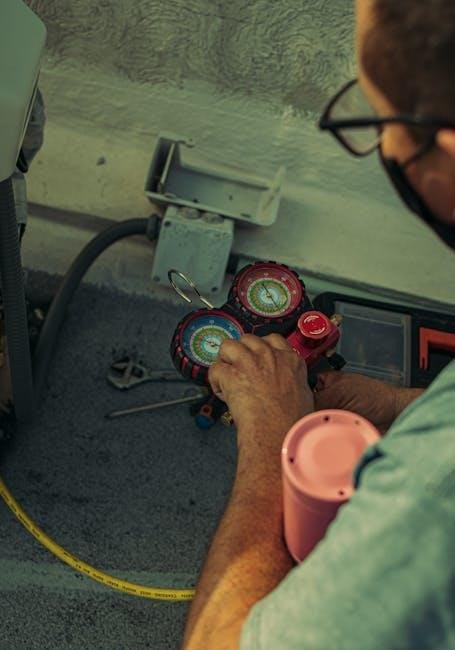
If the thermostat doesn’t power on, check wiring and power supply. Incorrect temperature readings may require recalibration or a new thermostat installation.
Thermostat Not Powering On
If your Honeywell TH4110D1007 thermostat is not powering on, several potential issues could be the cause. First, carefully verify the wiring connections, ensuring they are secure and correctly placed according to the wiring diagram – typically a 1H/1C configuration. Double-check that the power supply to the thermostat is active; a blown fuse or tripped circuit breaker could be preventing power from reaching the unit.
Confirm that the thermostat is receiving 24VAC power. If you have a multimeter, you can test the voltage at the thermostat terminals. If no voltage is present, the issue lies with the heating or cooling system’s power supply, not the thermostat itself. Ensure the batteries (if applicable to your model variation) are fresh and properly installed. Finally, inspect the wiring for any damage or breaks that might be interrupting the power flow. If problems persist, consult a qualified HVAC technician.
Incorrect Temperature Readings
If the Honeywell TH4110D1007 thermostat displays incorrect temperature readings, begin by ensuring the thermostat isn’t directly exposed to drafts, sunlight, or heat-generating appliances. These external factors can significantly influence the temperature sensor. Verify the thermostat is calibrated correctly; some models allow for temperature offset adjustments within the settings menu.
Check for obstructions near the thermostat that might be blocking airflow around the sensor. If the issue persists, consider the possibility of a faulty temperature sensor within the thermostat itself. Compare the thermostat’s reading with a known accurate thermometer placed nearby. A substantial discrepancy suggests a problem with the thermostat’s internal components. If calibration doesn’t resolve the issue, professional repair or replacement may be necessary.

Resources and Support
Access free PDF manuals and locate authorized Honeywell distributors for residential or commercial needs via the Honeywell website.
Support is readily available online!
Honeywell Distributor Locator
Finding a qualified Honeywell distributor is crucial for purchasing the TH4110D1007 thermostat and receiving expert advice. Honeywell provides several locator tools on their customer website (customer.honeywell.com) to help you connect with local professionals. You can specifically search for distributors catering to commercial contractors, residential contractors, or homeowners, ensuring you find the right support for your needs.
These distributors are authorized to sell genuine Honeywell products, including the TH4110D1007, and can offer assistance with installation, troubleshooting, and warranty claims. Utilizing the official Honeywell locator guarantees you’re dealing with a trusted source, avoiding potential issues with counterfeit products or unqualified installers; The website also provides access to important documentation like terms and conditions, and a privacy statement, alongside a comprehensive site map for easy navigation.
Remember to choose the region and language preference on the Honeywell website to refine your search and locate distributors in your specific area. This ensures accurate results and convenient access to local support for your thermostat needs.
Free PDF Manual Downloads
Accessing the official Honeywell TH4110D1007 manual in PDF format is readily available online, offering comprehensive guidance for installation, programming, and operation. Several resources provide free downloads, ensuring you have immediate access to the information you need. These manuals detail the thermostat’s features, wiring configurations (specifically 1H/1C), and step-by-step instructions for setting the time and day.
The downloadable manuals also cover programming the 5-2 day schedule, adjusting temperature settings, and switching between heating and cooling modes. Troubleshooting sections address common issues like the thermostat not powering on or displaying incorrect temperature readings, providing solutions to resolve these problems efficiently.
Beyond the core manual, you may find supplementary documents available for download, offering additional support and clarification. These resources empower you to maximize the benefits of your Honeywell TH4110D1007 thermostat and maintain optimal comfort and energy efficiency.